QuickBooks dashboard for your clients, live in under 10 minutes
To turn QuickBooks Online data into a client dashboard, connect the client's QuickBooks file to Pineapple Analyst through Intuit's sign-in. Revenue, margins, cash, AR, and expenses load into a branded dashboard in under 10 minutes and refresh daily. Your client gets a view-only login and an AI analyst, so you send a link instead of a P&L. You keep a book-wide view they never see.
How do I turn QuickBooks Online data into a client dashboard?
- Add the client. Sign in to your firm's account and create the client record.
- Start the QuickBooks connection. Choose QuickBooks Online as the data source from the client's setup screen.
- Approve access in Intuit. Sign in with an admin login for the client's QuickBooks company file and approve the connection. Pineapple Analyst never sees the password.
- Let the first sync run. Revenue, margins, cash, AR, and expenses load. The dashboard and AI context build from what is found. No chart-of-accounts mapping.
- Review, brand, and publish. Check what the client will see, then invite them with a view-only login.
What data comes across from QuickBooks Online?
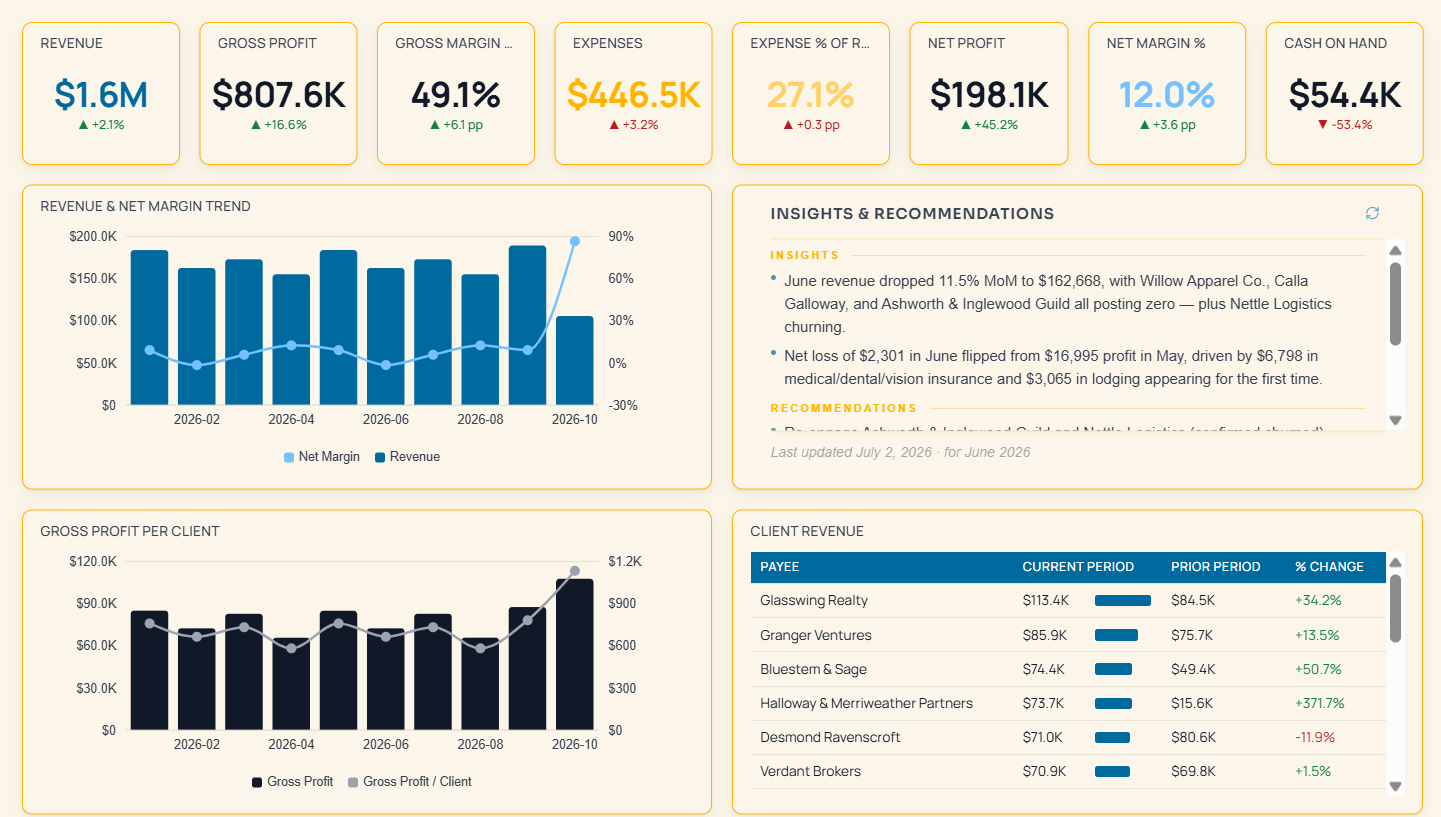
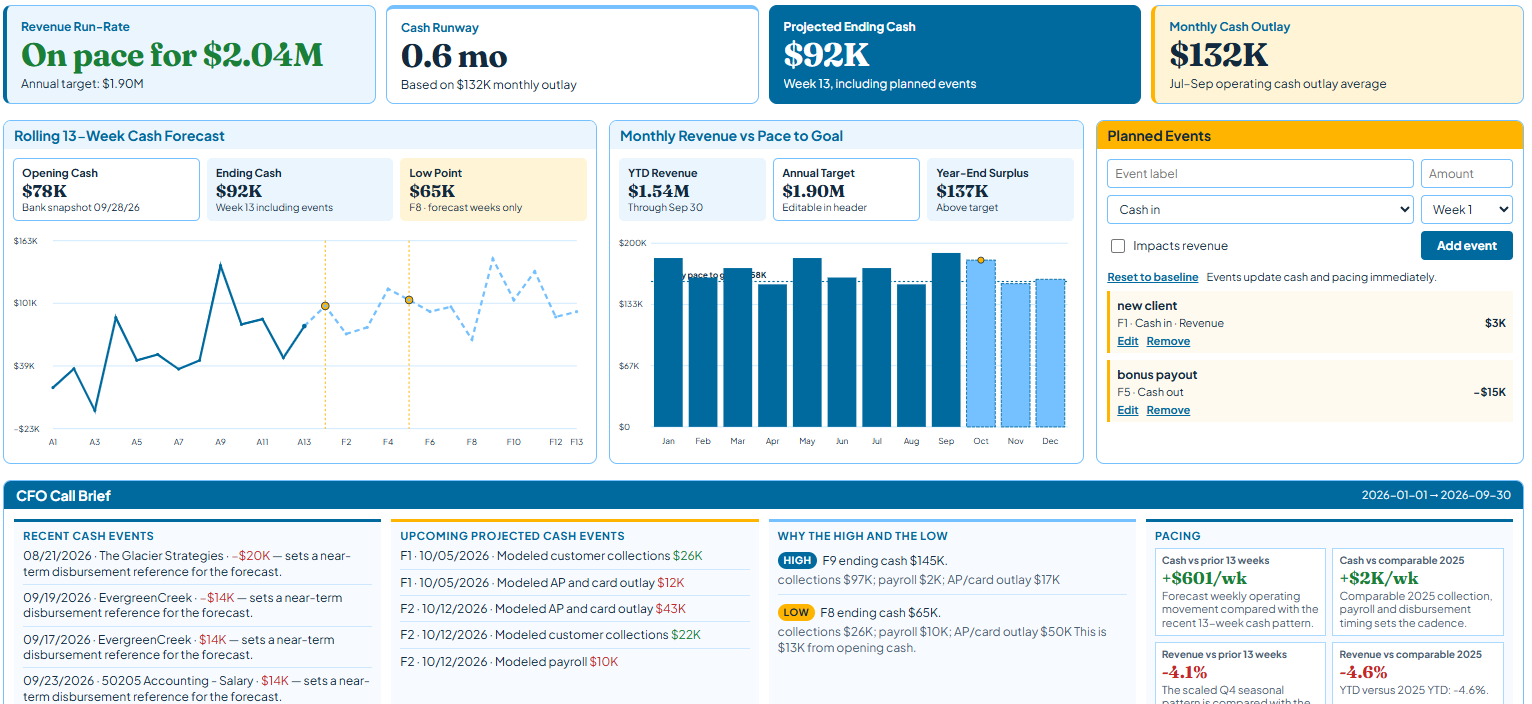
Revenue, margins, cash position, AR, and expense breakdowns come across, refreshed daily. Expense breakdowns catch what nobody reviews, like a subscription stack that sat unchecked for two years. Pineapple Analyst reads QuickBooks as it sits. No cleanup first. Messy books give messier answers, which is a fair cleanup-project conversation.
Connect HubSpot too and pipeline sits next to the books. QuickBooks tells you what happened. Pineapple Analyst tells you why.
What QuickBooks permission does the connection need?
Connect with an admin login on the client's QuickBooks company file. Intuit shows what the app can access and you approve it. Pineapple Analyst pulls data out. It does not post, edit, or delete transactions. Your client never needs QuickBooks access to use their dashboard. They log in with a separate view-only account.
OAuth tokens get an extra layer of encryption and are never stored in plaintext. AI queries are read-only and cannot reference another client's data. You can revoke access from inside QuickBooks at any time. Full security detail.
What happens at month end?
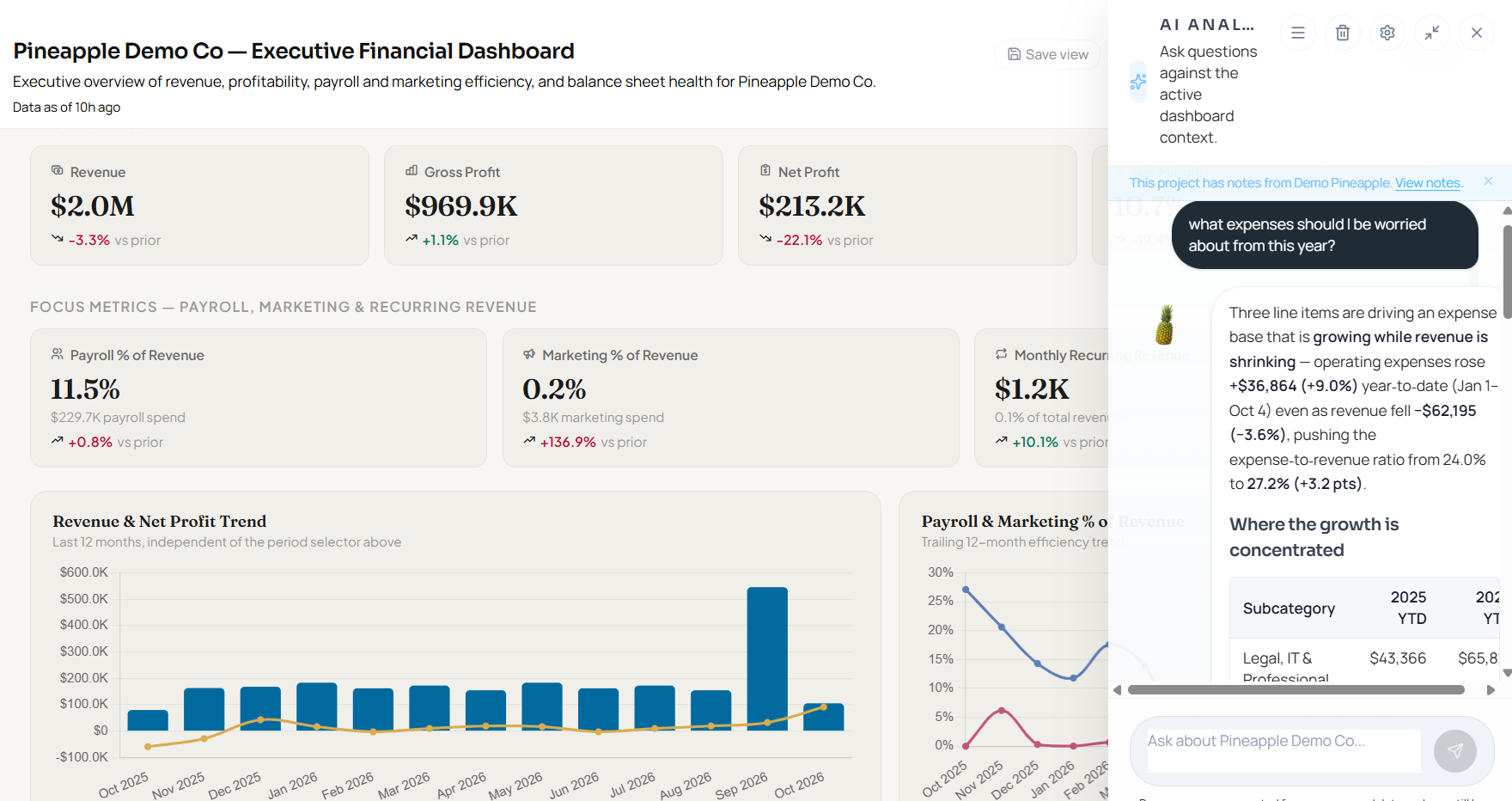
Nothing you have to run. The dashboard refreshes daily, so there is no month-end export and no deck to assemble. Close the books, post your adjusting entries, and the next daily refresh reflects them. Then open the dashboard on the review call and ask the AI Analyst why margin moved. Your client gets the same answers between reviews, without waiting on an email back.
What does the accountant see that the client does not?
| You (Admin) | Your client (Viewer) | |
|---|---|---|
| Clients visible | Every connected client on one sortable screen | Only their own dashboard |
| Changes | Edit views and review before anything is published | View only |
| AI Analyst | Ask across the book: which clients have under 3 months of runway? | Ask about their own numbers, any time |
| Brand | Your firm's | Your firm's. Never ours |
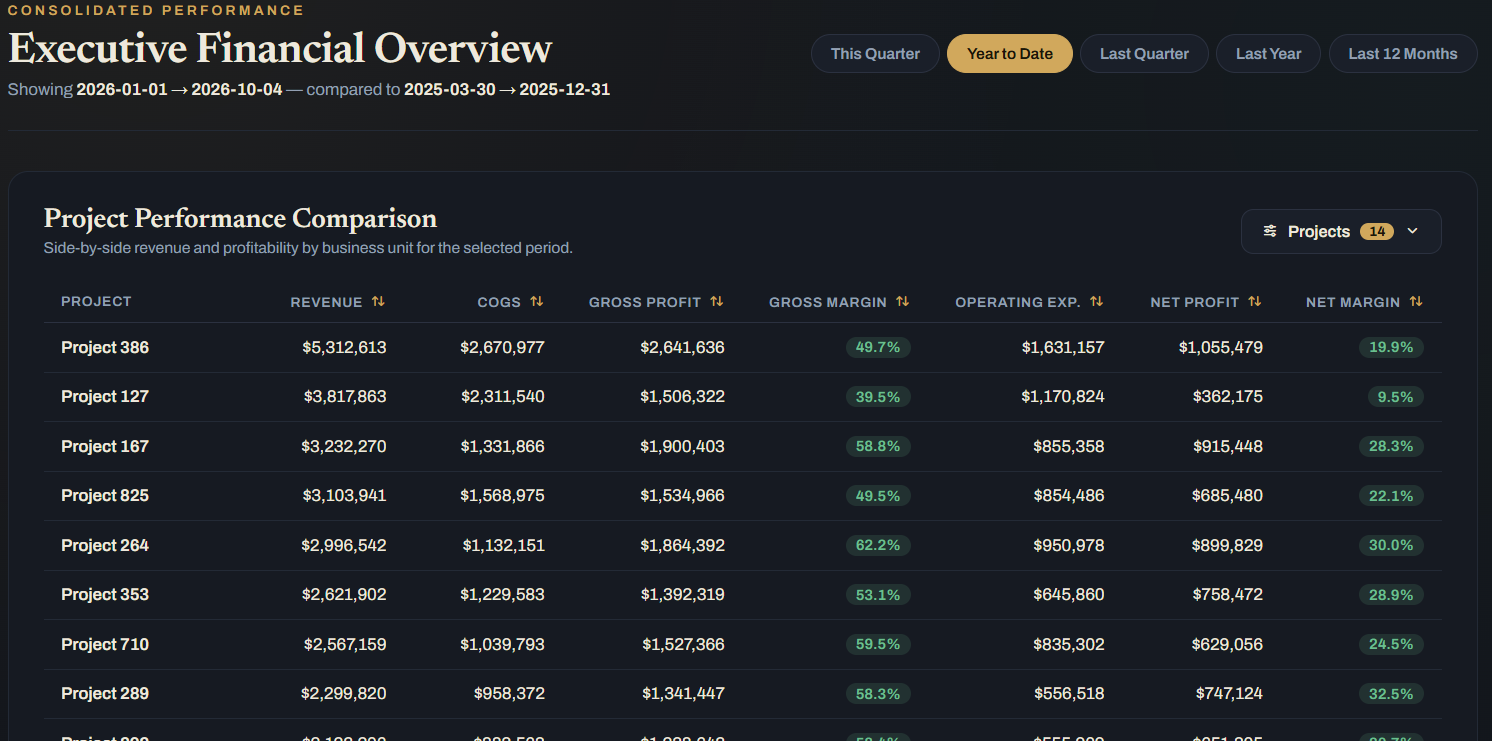
Use the book view to decide who needs a call this week. Sort by cash runway or AR aging and the ranked list is your agenda. The client sees a dashboard. You see a portfolio.
How do I choose a QuickBooks Online reporting app?
Test any app against five questions:
- Does it show your whole book, or one client file at a time?
- Can the client log in under your brand?
- Can the client ask questions, or only read?
- Is a new client live in minutes, with no chart-of-accounts mapping?
- Does it go past the books to pipeline and other sources?
Pineapple Analyst was built for accounting firms to answer yes to all five. QuickBooks Online and HubSpot are live. Xero is available on request. If a client's books are somewhere else, ask us before you commit. See how firms package it.
How do I show a client their numbers without sending a P&L?
Send a link. The client opens a live dashboard in your firm's brand, checks revenue, cash, and AR any day of the month, and asks the AI Analyst their own questions. The P&L stays in your toolkit. It just stops being the only thing they see.
QuickBooks connector FAQ
How long does it take to connect QuickBooks Online?
Under 10 minutes per client. Sign in, approve access in Intuit, let the first sync run, and publish.
How often does the QuickBooks dashboard refresh?
Daily, automatically. Adjusting entries you post appear on the next refresh.
Will my client see other clients or the Pineapple Analyst brand?
No. Each client gets an isolated data warehouse and a view-only login under your firm's brand. White-label is included at every tier.
Is QuickBooks data secure in Pineapple Analyst?
Data is encrypted in transit and at rest, isolated per client at three layers, and never used to train AI models. Read the security overview.
Connect your first client
14 days, no credit card. Your first QuickBooks dashboard could be live before your next meeting.
Start for Free